3.3.8 - Compression and Huffman coding
Explain why data is compressed, read variable-length codes from a Huffman tree, and calculate compressed size and bit savings compared with seven-bit ASCII.
Why data is compressed
Data compression represents information using fewer bits than its original representation.
Smaller files need less storage and take less time to transfer over the same connection. This matters when a device has little free space or when many users share limited bandwidth. For example, compressing repeated text in a downloadable report can reduce both the server's transfer load and the user's download time.
Different methods suit different patterns. Lossless compression permits the original data to be reconstructed exactly. Text and executable instructions normally need this because losing even one character or instruction can change meaning or behaviour. Some media compression is lossy, deliberately discarding some information to achieve a smaller file; this can be acceptable for some uses of images or sound. No compression method guarantees the same saving for every input.
Huffman coding is lossless. It gives frequently occurring symbols shorter codes and less frequent symbols longer codes. A decoder uses the agreed code structure to recover every original symbol. Run length encoding, taught next, instead describes consecutive repetitions.
Compression also needs processing, and the decoder needs enough information to interpret the compressed form. Savings depend on the data and on any overhead that must accompany it.
Reading a Huffman tree
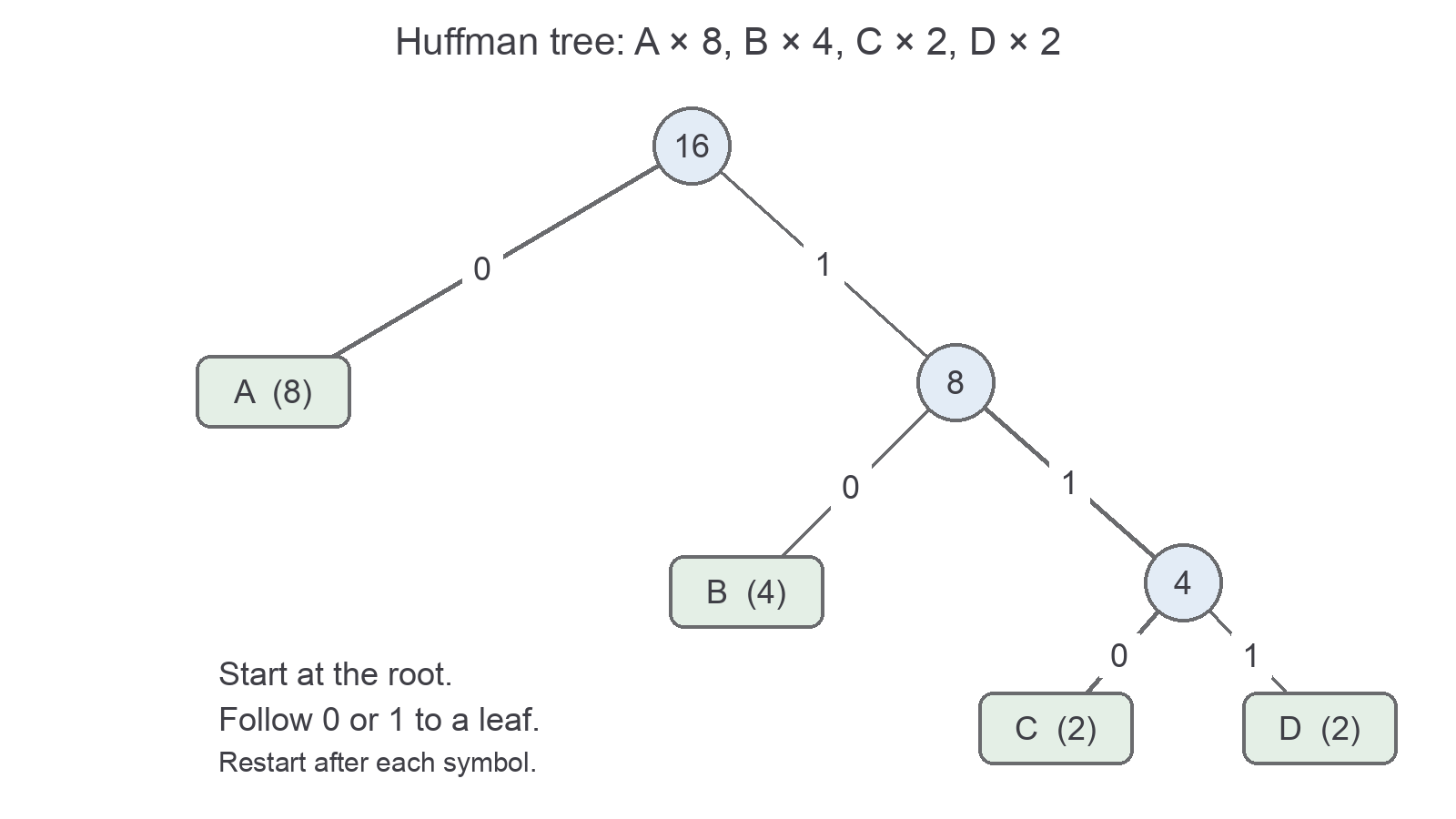
A Huffman tree associates each symbol with the sequence of branch labels along its path from the root to its leaf.
The supplied message contains A eight times, B four times, C twice and D twice. To form this tree, combine the two least frequent symbols C and D into a node of weight 4. Combine that node with B's weight 4 to make weight 8. Finally combine this with A's weight 8 to make the root of weight 16. Label the left branches 0 and right branches 1 as shown.
Continue this lesson.
You’re previewing NovaLearn without an account. Create a free account to read the rest.
Create free account