3.3.6 - Encoding and drawing bitmap data
Turn supplied binary pixel data into a drawn bitmap and turn a bitmap back into bits. Use the given dimensions, reading order and colour key so every pixel occupies the right position.
Drawing pixels from binary data
A bit pattern can describe a bitmap only when the dimensions, colour mapping and pixel order are known.
For Image A below, the width and height are both 4 pixels. The colour key is 0 = white and 1 = dark. Read each row left to right, starting with the top row. The supplied rows are 0110, 1001, 1111 and 1001.
Draw a four-column, four-row grid. In the first row, leave the first cell white, shade the second and third cells, and leave the fourth white. In the second row shade only the first and fourth cells. Continue with the third and fourth rows. The result is the left image below. Row breaks are essential: all sixteen bits belong to one rectangular image, not one long line of pixels.
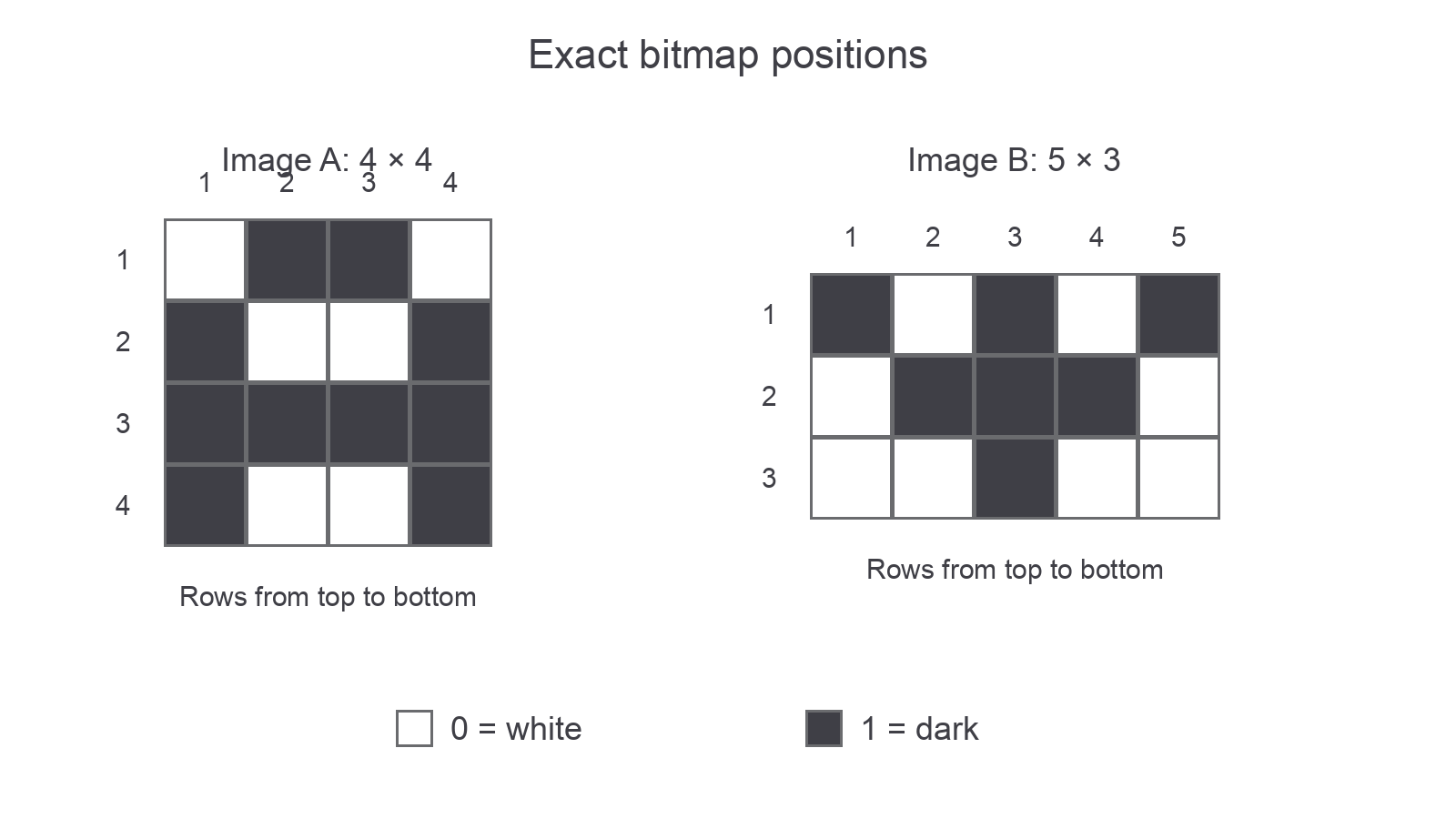
Image A is the drawn result of 0110 / 1001 / 1111 / 1001. Image B is a separate bitmap for encoding practice. In both grids 0 means white and 1 means dark.
Changing the key would change the visible image even if the bits stayed the same. Changing the width would change where the row breaks fall. Always identify these supplied rules before drawing.
Continue this lesson.
You’re previewing NovaLearn without an account. Create a free account to read the rest.
Create free account